|
Selected
Corporations |
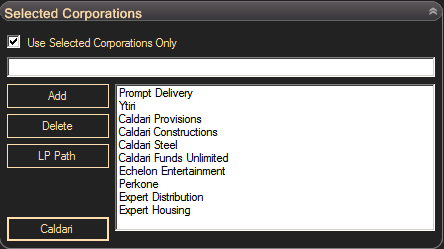
Courier bot may work with agents of selected corporations. To enable this option, check 'Use Selected Corporations Only' checkbox and add corporation names to the list. This function will not cancel currently taken missions. Also you can add any mission of any agent to the queue using mission editor. General settings of courier bot are still in effect. You must define agent levels and home station. You can use corporations from different factions here, just make sure you have enough standing to accept selected level of missions from these corporations and that selected corporations have agents of distribution division of selected level. For example, Caldari Navy has maximum 3rd level agents of distribution division, if you set to work with 4 lvl agents and add Caldari Navy corporation to the selected corporations list, your bot will not do any mission for Caldary Navy. The more available agents you have the better for stability of your bot. Make sure you have at least 10 available agents. Agents may give lowsec mission and bot will cancel this mission. If the next mission from this agent is also going to low sec, bot will delay this mission and mark the agent as unavailable for the next four hours. If no available agents left, bot will close operation. If you experience such problem, add more corporations or do several mission levels. The chance that the bot will take one or another mission level depends on an estimated mission reward. Bot is trying to maximize profit. Estimated mission rewards may be edited in fine tuning panel and bot will select desired agent level when any agent of this level is available.
Click 'Caldari' button to use Caldary State corporations with higher LP/ISK ratio.
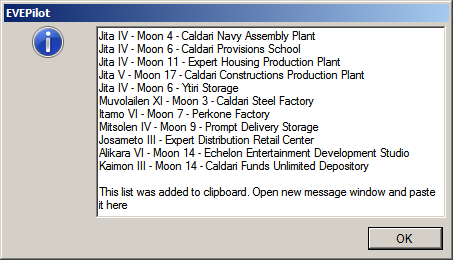
When you need to collect LP generate shortest traveling route with 'LP Path' button. Bot will show traveling route in message box and copy hyperlinks of stations to clipboard. Paste clipboard content to new message edit field in game to add waypoints to autopilot